
NEWS
Windows 11 Search Can Now Run the PC Itself
Microsoft is turning Windows 11 Search into a command box that can toggle settings and snap windows, with Copilot due later as an opt-in.

Microsoft began rolling out a Windows 11 Search box that can toggle settings and snap windows from the taskbar on October 7, 2026. The preview is limited to the Experimental channel, supports English only, and is rebuilt on WinUI 3.
The same day, Pavan Davuluri, executive vice president of Windows + Devices, put those actions on a longer track: a command layer in Search, then an opt-in Copilot seat later in 2026, then Start in 2027.
Search Can Now Flip Dark Mode and Snap Windows
Anshul Rawat, writing for the Windows Insider Program, said the company is turning Search into a starting point for getting work done, not only for finding files and apps. Type a request in plain language and the flyout can run it instead of dumping you on a Settings page.
The first batch is small and practical. You can switch themes, flip radios, change volume or brightness, and shove windows around without opening another app.
PHRASES MICROSOFT SAYS TO TRY
- Theme and radios: “switch to dark mode,” “turn on night light,” or “turn on Bluetooth.”
- Quick tweaks: “dim my screen” or “mute.”
- Window chores: “minimize all my windows” or “arrange windows on screen.”
- Phone Link: texting from a linked phone is listed as coming soon, not as part of this first drop.
Davuluri’s wider post adds “turn on Do Not Disturb” and “enable Airplane mode” to the sample list and talks about thousands of new actions from the taskbar. The Insider post is narrower. It says Microsoft is starting with the tasks people use most and will grow that set over time.
That gap is the whole bet. A handful of toggles is a nicer Settings shortcut. Thousands of actions would make the taskbar box a control surface for the PC, which is a different product than the search pane Windows has shipped for years.
A Single List Where the Clicks Already Were
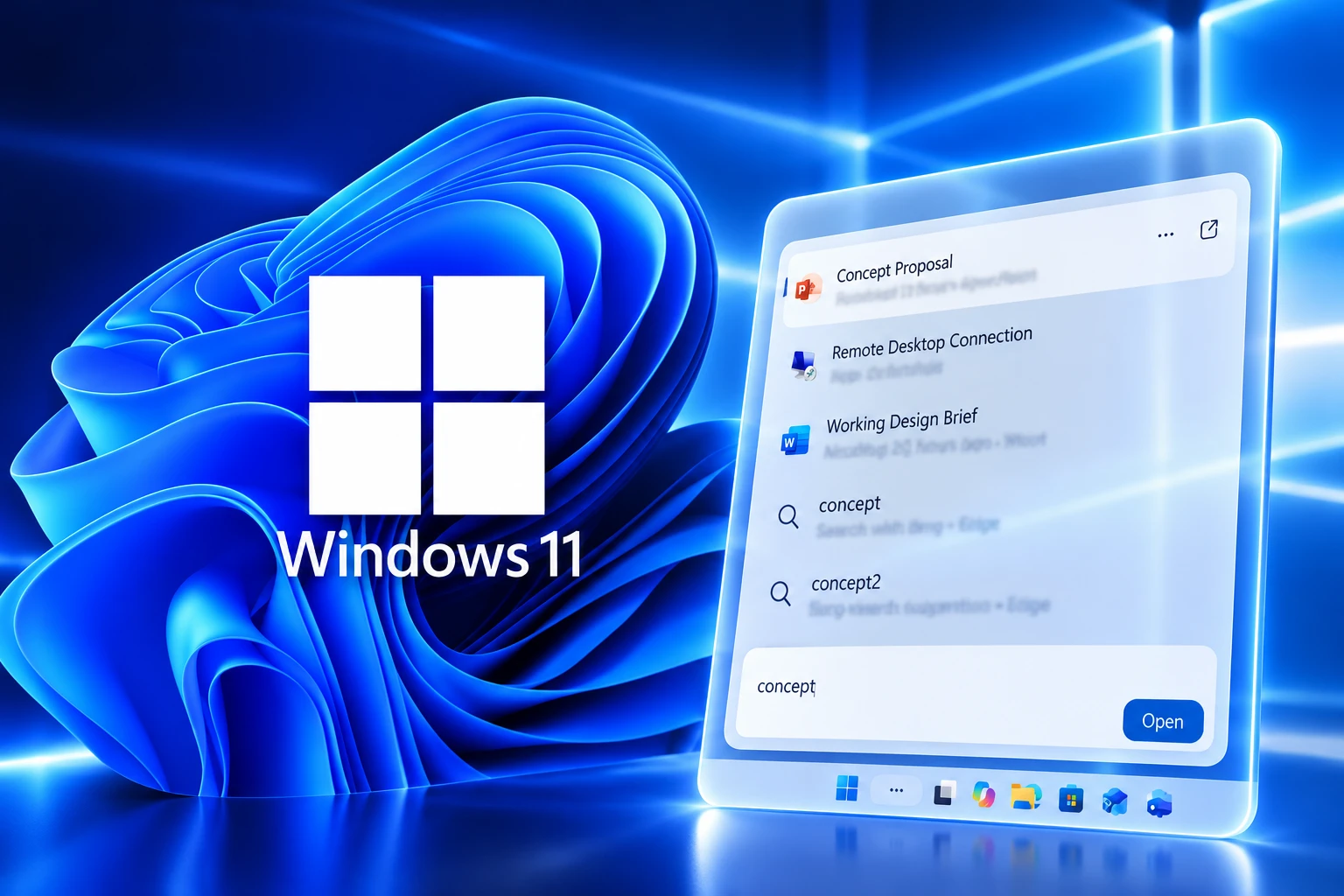
The new flyout drops the old two-column layout. There is no large preview pane on the right. Results now sit in one list, which Microsoft says is easier to scan.
Data shows that nearly all clicks in the current UX come from the results list on the left, rather than the large preview pane on the right.
Anshul Rawat, Windows Insider Blog, October 7, 2026
Rawat also said early testing shows substantial improvements in performance and memory use because the UI is a new Windows Search experience on WinUI 3. Microsoft published no numbers behind that claim, so the speed pitch stays the company’s own for now.
Matching for typos and synonyms is getting another pass, with more tuning promised over the coming weeks. Later in 2026, Microsoft plans to put some of the missing context back in a different form: inline previews for documents and photos, richer file details, category filters such as files, and web cards for queries like “weather in San Diego” or “How tall is the Eiffel Tower?”
So the preview pane goes away because people were not clicking it, and a slimmer inline preview is scheduled to return once the single list is in place. Searches started from Start keep the current experience while this taskbar version is still in early preview.
Copilot Gets an Opt-In Seat Later This Year
The Insider post treats Copilot as a goal, with “thoughtful integrations” grouped among richer results and more ways to finish tasks from Search. Davuluri’s hybrid intelligence post is more specific, and it is the document that ties this flyout to the rest of the day’s Windows pitch.
We will also begin adding the option to integrate the new Copilot with Search on the taskbar, so you can get quick answers inline from Search, and if you want to have a richer conversation, you can jump from Search directly to the full Copilot app. This experience will be opt-in, and will first start rolling out to select markets later this year.
Pavan Davuluri, Executive Vice President, Windows + Devices, Windows Experience Blog
That is the second-order move. If Search can already mute the PC, snap Edge next to Word, and later answer weather in place, Copilot does not need a second box on the taskbar. It can sit on the same rail, jump out to the full app when a chat runs long, and stay off unless you turn it on.
Work is already underway, Rawat wrote, to bring the new Search to the Start menu in 2027 and to adapt it to different taskbar positions and Windows setups. Until then, Start search stays on the old path. The command box is being trained on the taskbar first, where Microsoft says people already click the left-hand list.
PowerToys Already Ships a Fuller Command Palette
Microsoft already gives power users a keyboard launcher that can launch apps, run commands, and switch windows. PowerToys Command Palette opens with a Win + Alt + Space activation shortcut, runs in the background, and is built for people who live on the keyboard.
The overlap is obvious and incomplete. Taskbar Search is where most people already type. Command Palette is where the extra verbs already live.
SEARCH VERSUS COMMAND PALETTE
| Task | New Windows Search | PowerToys Command Palette |
|---|---|---|
| Toggle settings in plain language | Yes in this preview (dark mode, night light, Bluetooth, mute, dim) | Opens Settings pages with a $ prefix, such as $ display |
| Arrange or snap windows | Yes (“minimize all my windows,” “arrange windows on screen”) | Switch windows; snap phrases are not in the official overview |
| Launch apps and find files | Yes, still the core job | Yes, plus file search and WinGet installs |
| Send a Phone Link text | Coming soon | Not listed |
| Run shell commands, calculator, registry, services | Not listed | Yes, including Terminal profiles and clipboard history |
| Add extra verbs | Not listed | Extension Gallery for community add-ons |
| How you open it | Taskbar Search box | Win + Alt + Space, with a compact-box option |
Command Palette remains the deeper tool. Search is the one that does not need a new shortcut, a background process, or a PowerToys install. If Microsoft keeps adding actions in the taskbar box, the audience that never found Win + Alt + Space still gets a thin command line. The audience that already lives in PowerToys keeps a wider one, at least for now.
July Stripped the Ads Before This Rebuild
This is the second Search pass of 2026. On July 13, Jeff and Anderson told Insiders the Search box was getting a calmer home screen, clearer source labels, and a kill switch for web and Microsoft Store suggestions under Settings, Privacy & Security, Search. Promotional content was pulled out of web results. Local apps, settings, and files were ranked ahead of web hits when they were the better match. “utlook” was called out as a query that should still find Outlook.
October 7 sits on that cleanup. The July work made the box quieter. The new work tries to make the same box do things.
THE SEARCH REBUILD CALENDAR
- July 13, 2026: Experimental Search box drops promo cards, adds web and Store toggles, and ranks local results first.
- October 7, 2026: WinUI 3 Search with a single list and inline actions begins rolling out in Experimental and Experimental (26H1).
- Later in 2026: Inline file and photo previews, web answer cards, file filters, and opt-in Copilot in Search for select markets.
- 2027: New Search moves into Start and follows more taskbar layouts, while Start keeps the old search during this preview.
Rawat said the October 7 cut is early on purpose. Microsoft wants relevance fixes, stability notes across real hardware, and UX feedback before it widens the preview. That is also why the loudest public notes so far have been about motion in the flyout, not about whether “mute” is a better verb than opening Settings.
How Insiders Enable the New Windows Search
You need build 26340.9616 in the Experimental channel, or build 28120.3181 in Experimental (26H1). The first release is English only. Microsoft says the rollout is gradual, so a qualifying build does not guarantee the UI on its own.
TURN THE FEATURE FLAG ON
- Install the build: Join the right Experimental channel and take 26340.9616 or 28120.3181.
- Force the flag to appear: Open Settings, Windows Update, choose Check for updates, then restart. Rawat says the flag is hidden until that check and reboot.
- Flip the switch: Go to Settings, Windows Update, Windows Insider Program, Feature flags, and enable New Windows Search Experience.
- Send notes: Use Feedback Hub (Win + F) under Desktop Environment, Search.
The Windows Insider Program account posted the same pointer when the builds landed.
Check out the new Windows Search experience available now in Experimental and Experimental (26H1)! https://t.co/Bd72UIa24c
— Windows Insider Program (@windowsinsider) October 7, 2026
Brandon LeBlanc, director of communications for Windows + Devices, pointed to the Insider post as the write-up of the Search work shown at Microsoft’s event on October 7, 2026. Diego Baca, vice president of design for Windows, posted that he was proud of the team. The replies under that note were thinner: one called Windows buggy, another asked for more transparency effects. The design argument is running ahead of the quality argument, which is the usual Insider split.
The Preview Leaves Local Processing Unsaid
Neither official post says whether typed actions are handled on the PC or in the cloud. There is no hardware bar, no Copilot+ requirement, and no date for shipping Search to the ordinary Windows 11 channels. Privacy language is also missing, which stands out because July’s cleanup did add a real Search privacy page for web and Store suggestions.
WHAT WE KNOW
- Who gets it: Experimental and Experimental (26H1) Insiders on 26340.9616 or 28120.3181, English only, via a feature flag after an update check and restart.
- What it does now: One results list, WinUI 3 shell, plain-language toggles, brightness and mute, window arrange and minimize, better typo and synonym matching.
- What is dated: Later in 2026 for previews, filters, web cards, and opt-in Copilot in select markets; 2027 for Start and extra taskbar layouts.
WHAT IS UNCONFIRMED
- Where queries run: Local processing, cloud processing, or a mix is not described.
- What hardware is required: No NPU, Copilot+ PC, or RAM floor is listed for the new Search.
- When stable Windows 11 gets it: Microsoft has not named a consumer release.
PowerToys still covers more verbs on a shortcut most people never learn. The taskbar box is the one they already open. Microsoft is teaching that box to act, then reserving a seat for Copilot, then pointing the same UI at Start. Until the company says whether those actions stay on the machine, the command box is only half specified, even for Insiders who already have the flag.

Windows 11 Search Can Now Run the PC Itself

France Pauses Stun Grenades After a Familiar Kind of Injury

Amazon Buys the Emmys as a Global Storefront

Atlassian’s 9.3 File-Read Bug Repeats a 2021 Exploited Flaw

Winklevoss Files a Zcash ETF Around Its Own Stack

Tozorakimab Opens a COPD Lane Other Biologics Shut

Astro City Still Pays Off a 1995 Superhero Wager

Acetaminophen Liver Injuries Soared After a Narrow FDA Cap

Sony’s 10 Percent Disc Cut Leaves New Games Digital

Lionel Richie Faces Heart Tests After the Muny Show
-
 NEWS2 months ago
Tozorakimab Opens a COPD Lane Other Biologics Shut
-
 ENTERTAINMENT2 months ago
Astro City Still Pays Off a 1995 Superhero Wager
-
 NEWS2 months ago
Acetaminophen Liver Injuries Soared After a Narrow FDA Cap
-
 ENTERTAINMENT2 months ago
Lionel Richie Faces Heart Tests After the Muny Show
-
 GAMING2 months ago
Sony’s 10 Percent Disc Cut Leaves New Games Digital
-

 NEWS2 months ago
UCLA Bets Its Athletic Future on an Unpaid Lakers Executive
-

 BUSINESS2 months ago
Trump’s Embargo Threat Spends the Leverage It Needs
-

 BUSINESS2 months ago
Calvin Klein’s Record Jung Kook Collab Could Not Lift Sales